
AI coding agents have become remarkably capable. They can analyze large codebases, execute shell commands, modify files, debug applications, generate pull requests, and automate repetitive engineering tasks that once consumed hours of developer time.
That productivity comes with an uncomfortable question.
What happens if the AI agent can also read your SSH keys?
Many developers never stop to ask.
When an AI coding assistant runs directly on your laptop, it usually operates with the same permissions as your user account. If your account can read files, execute commands, clone repositories, or connect to production servers, the AI agent often can too.
That doesn’t automatically make the tool unsafe.
It does mean you should clearly understand the level of trust you’re placing in it.
For an individual developer working on a personal side project, the risk may be acceptable. Inside an enterprise environment containing production infrastructure, customer repositories, cloud credentials, and regulated data, the conversation changes completely.
An AI agent doesn’t need malicious intent to create a security incident. A poorly written prompt, an unexpected plugin, a compromised dependency, or an overly permissive workflow may be enough to expose credentials that were never meant to leave your machine.
One of the most valuable credentials on a developer workstation is the SSH private key.
If that key is exposed, the consequences can extend far beyond a single project.
Why SSH Keys Matter More Than Most Developers Realize
SSH keys are the backbone of secure authentication across modern engineering teams.
Unlike passwords, private keys authenticate developers to critical systems without transmitting secrets over the network. They’re trusted because only the owner should possess the private key.
In practice, these keys often unlock far more than people realize.
A single developer laptop may contain SSH keys that provide access to:
- Private GitHub repositories
- GitLab or Bitbucket projects
- Production Linux servers
- Kubernetes control planes
- Build servers
- CI/CD runners
- Internal APIs
- Bastion hosts
- Infrastructure managed with Terraform
- Cloud virtual machines
- Database administration servers
Many senior engineers have accumulated years of trusted access across multiple environments.
Their laptop quietly becomes one of the most privileged devices in the organization.
Now imagine placing an autonomous AI agent inside that same environment.
A Typical Developer Machine Contains More Secrets Than Expected
Most developers think about source code first.
Attackers think about credentials.
A standard development workstation often includes:
~/.ssh/
~/.aws/
~/.kube/
~/.config/
.env
terraform.tfstate
docker/config.json
npm tokens
Git credentials
API keys
VPN certificates
Each of these files can contain authentication material that grants access to valuable systems.
Some provide direct infrastructure access.
Others allow privilege escalation through deployment pipelines or cloud services.
Even read-only credentials can reveal architecture, internal endpoints, customer information, or deployment strategies that should remain private.
The AI agent doesn’t inherently distinguish between source code and secrets.
If it’s instructed-or permitted-to inspect your filesystem, both become equally accessible.
Can AI Agents Actually Read SSH Keys?
Technically, yes.
Whether they do depends on how they’re configured and what permissions you’ve granted.
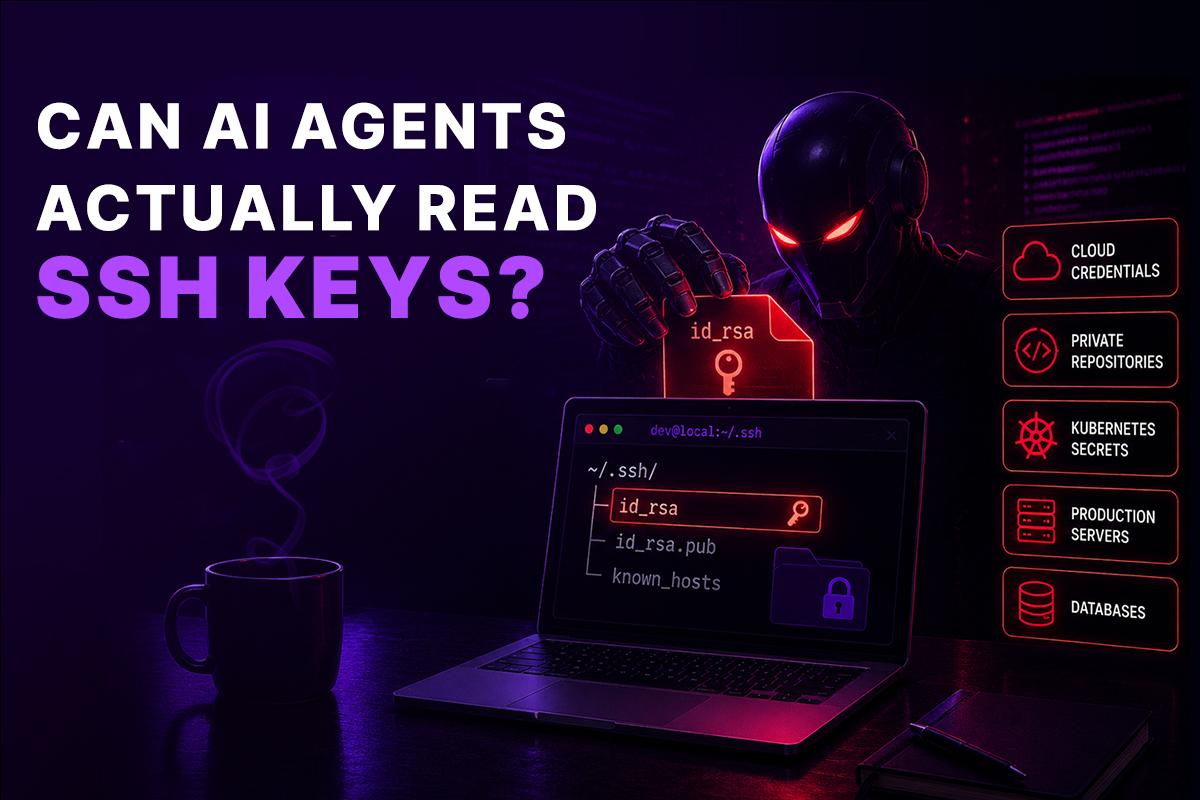
Most AI coding agents interact with the local filesystem because they need to:
- Read project files
- Search directories
- Understand dependencies
- Modify source code
- Execute build commands
- Run tests
- Debug applications
Those capabilities are exactly what make them useful.
The problem is that the operating system generally doesn’t separate “project files” from “other files your account can access.”
If the AI process runs with your user privileges, it can potentially access anything your account can read unless additional security controls restrict it.
That includes SSH keys.
It also includes configuration files, secrets, local databases, cached authentication tokens, and development certificates.
This isn’t unique to one AI coding assistant.
The same principle applies to many local AI agents, terminal-based assistants, CLI tools, automation frameworks, and autonomous development systems.
The issue isn’t the intelligence.
The issue is unrestricted execution.
A Simple Example
Imagine asking an AI coding agent:
“Clone our infrastructure repository and update the Terraform modules.”
To complete that request, the agent might:
- Open the terminal.
- Check Git configuration.
- Use your SSH authentication.
- Clone a private repository.
- Read Terraform files.
- Execute validation commands.
- Commit changes.
- Push updates.
Everything works exactly as expected.
Now imagine the workflow becomes more complex.
The agent encounters an authentication error.
It decides to inspect the SSH configuration to diagnose the issue.
It reads:
~/.ssh/config
Then it accesses:
~/.ssh/id_ed25519
From the operating system’s perspective, nothing unusual happened.
The AI process simply read files that your own account was allowed to access.
No firewall triggered.
No antivirus alert appeared.
No login prompt interrupted the process.
Everything occurred under your existing permissions.
That’s why local execution deserves far more attention than most discussions around AI safety currently give it.
The Real Risk Isn’t Just Reading the Key
Reading the private key is only the beginning.
The bigger concern is what that access enables.
An exposed SSH key can provide a pathway into systems that were never intended to be part of the AI workflow.
Depending on organizational access controls, a compromised key may allow someone-or something-to:
- Clone confidential repositories.
- Access deployment infrastructure.
- Connect to production servers.
- Modify Infrastructure as Code.
- Trigger deployment pipelines.
- Read internal documentation.
- Access Kubernetes clusters.
- Pivot into additional systems using trusted authentication.
In mature engineering organizations, identity is everything.
A single trusted credential often opens multiple doors.
That’s why attackers frequently target developer workstations instead of hardened production servers.
The workstation already holds the credentials needed to reach those environments.
An unrestricted AI agent operating on the same machine inherits that reality.
Why This Risk Is Growing
Five years ago, most developer tools were passive.
They provided suggestions, highlighted syntax errors, or offered autocomplete.
Today’s AI agents are fundamentally different.
They don’t just recommend commands.
They execute them.
They don’t simply explain shell scripts.
They run them.
They don’t stop at generating code.
They can install dependencies, interact with Git, invoke APIs, modify infrastructure, and coordinate multi-step workflows with very little human intervention.
That shift-from assistant to autonomous operator-changes the security model entirely.
Permissions that once felt harmless now deserve much closer scrutiny.
The question is no longer:
“Can this AI help me write code?”
It’s becoming:
“What else can this AI access while it’s writing code?”
That distinction is where enterprise security teams are focusing their attention-and where the concept of a sandbox begins to move from a nice-to-have safeguard to an essential architectural boundary.
Why Traditional Security Tools Don’t Solve This Problem
Many organizations assume their existing security stack already protects developer workstations.
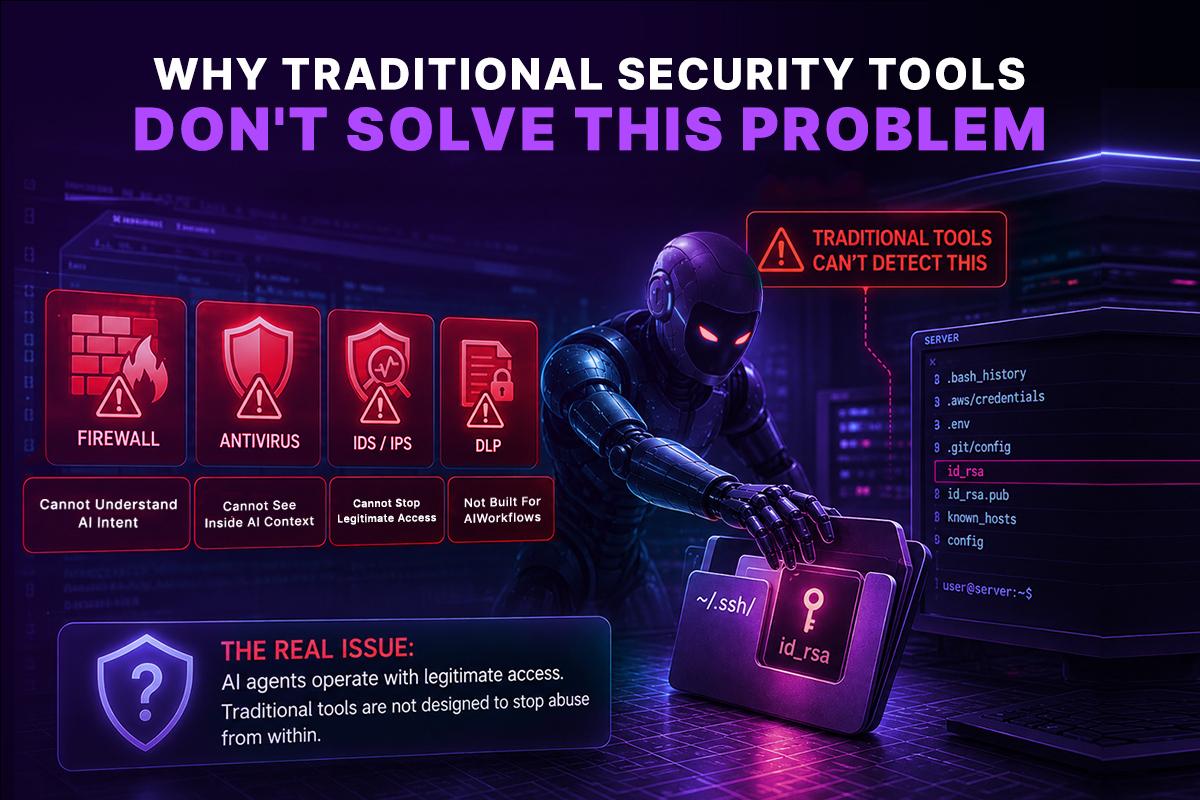
After all, they have endpoint detection and response (EDR), antivirus software, disk encryption, multi-factor authentication (MFA), and privileged access management (PAM). These are essential controls, but they were designed to defend against malware, unauthorized users, or known attack patterns-not autonomous software intentionally acting on behalf of a trusted user.
An AI coding agent changes the threat model.
If the agent launches a terminal command, opens a file, or clones a repository using your existing permissions, those actions often appear legitimate. From the operating system’s perspective, nothing suspicious has happened. A trusted process performed an action that the logged-in user was already allowed to perform.
This creates a visibility gap.
Security teams can usually determine who executed a command, but it’s far more difficult to determine why it was executed, whether it was initiated by a human or an AI agent, and whether it was appropriate for the task being performed.
As organizations adopt AI-powered development workflows, they need security controls that don’t just monitor activity-they need controls that limit what an AI agent can access in the first place.
The Principle of Least Privilege Applies to AI Too
One of the oldest security principles is least privilege.
Every application, user, or service should have access only to the resources required to perform its job-nothing more.
This principle already governs:
- Kubernetes service accounts
- Cloud IAM policies
- Database permissions
- RBAC configurations
- CI/CD service identities
- API access tokens
Yet AI agents are often granted far broader access than any of these systems.
A developer might ask an AI assistant to refactor a single application, but the agent is running on a workstation that also contains:
- Infrastructure repositories
- Cloud credentials
- Production SSH keys
- Multiple Git identities
- Internal documentation
- VPN configurations
- Secrets used across unrelated projects
The AI only needs access to one project, but it inherits access to everything.
That directly contradicts the principle of least privilege.
A better approach is to give the AI agent access only to the files, repositories, tools, and credentials required for the task at hand.
That’s exactly what an isolated sandbox is designed to achieve.
What Is a Sandbox?
A sandbox is an isolated execution environment where applications can run without unrestricted access to the host operating system.
Instead of interacting directly with your laptop, the AI agent operates inside a controlled environment with clearly defined boundaries.
Depending on the implementation, a sandbox can provide:
- An isolated file system
- Temporary storage
- Restricted network access
- Limited credentials
- Controlled environment variables
- Resource limits for CPU and memory
- Permission policies for installed tools
- Automatic cleanup after execution
When the task finishes, the environment can be destroyed, leaving no credentials, temporary files, or processes behind.
This isolation significantly reduces the potential impact of mistakes, compromised dependencies, or unexpected AI behavior.
Local Execution vs. Sandbox Execution
| Feature | Local Machine | Isolated Sandbox |
| Access to personal SSH keys | Usually available | Only if explicitly provided |
| Access to unrelated projects | Often unrestricted | Limited to mounted workspace |
| Access to cloud credentials | Usually inherited | Controlled and temporary |
| Risk to developer workstation | High | Significantly reduced |
| Environment consistency | Depends on the laptop | Reproducible every run |
| Easy cleanup | Manual | Automatic |
| Suitable for enterprise governance | Limited | Yes |
The goal isn’t to make AI agents less capable.
It’s to ensure those capabilities are limited to the environment where they’re actually needed.
Why Isolation Matters Beyond Security
Security is often the first reason organizations adopt sandboxed execution, but it’s far from the only one.
Development teams also benefit from greater consistency and reliability.
Anyone who has worked on large engineering teams has encountered problems like:
- “It works on my machine.”
- Missing dependencies.
- Different Python or Node.js versions.
- Conflicting package installations.
- Local configuration drift.
- Environment-specific bugs.
These issues consume valuable engineering time because every workstation is slightly different.
A sandbox provides a clean, predictable execution environment for every task.
Whether an AI agent is reviewing code, running tests, or generating documentation, it starts from the same known state every time.
That consistency improves both reliability and debugging while making AI-generated work easier to reproduce across teams.
A Practical Example
Imagine a platform engineering team maintaining dozens of Kubernetes clusters across multiple cloud providers.
A developer asks an AI agent:
“Upgrade our Helm charts and validate that the manifests still deploy correctly.”
Without isolation, the agent might use:
- Local Kubernetes contexts
- Personal kubeconfig files
- Production credentials
- Existing CLI plugins
- Cached authentication tokens
Those resources were never intended to be part of the task-they simply happened to exist on the developer’s workstation.
Now consider the same request inside a sandbox.
The environment contains:
- A cloned copy of the repository
- The required Helm version
- A temporary Kubernetes test cluster
- Read-only project files
- Ephemeral credentials scoped only to the validation task
The AI can complete its work successfully, but it has no visibility into production clusters, unrelated repositories, or long-lived credentials.
The task remains productive without expanding the organization’s security exposure.
Sandboxing Doesn’t Reduce Developer Productivity
One common misconception is that isolation makes AI agents slower or less useful.
Modern sandbox environments are designed to feel like a local development environment.
An AI agent can still:
- Read and modify project files
- Execute terminal commands
- Install packages
- Run Docker containers
- Build applications
- Execute tests
- Debug failures
- Interact with Git
- Use development tools such as Terraform, kubectl, Python, Node.js, or Go
The difference is that these actions occur within a controlled workspace instead of directly on the developer’s laptop.
Developers continue working with familiar tools while security teams gain stronger boundaries around sensitive assets.
The experience remains productive without requiring unrestricted access to the host system.
Why a Sandbox Is the Missing Security Layer
Most security controls focus on who can access a system. Authentication, RBAC, MFA, VPNs, and API permissions all determine whether a user or application is allowed to perform certain actions. But they don’t answer a critical question:
Where is your AI agent executing?
If an AI agent runs directly on your laptop, CI/CD runner, or jump server, it inherits the permissions of that environment. It doesn’t know which files are safe to access and which are sensitive. If it is instructed-or tricked-into searching your filesystem, it may discover SSH keys, cloud credentials, Kubernetes configurations, Terraform state files, API tokens, or internal documentation. Even if those files were never intended to be part of the task, they become accessible simply because they exist on the host machine.
This is where a sandbox changes the security model.
Instead of executing directly on your workstation, the AI agent runs inside an isolated environment with tightly controlled permissions. The sandbox contains only the files, tools, network access, and credentials required for the specific task. Your personal SSH keys, browser sessions, password manager, financial documents, and unrelated project files remain outside the execution environment and are completely inaccessible to the agent.
A well-designed code sandbox provides much more than isolation. It creates a controlled execution environment with:
- Ephemeral workspaces that are automatically destroyed after every task.
- Least-privilege access, exposing only the resources required for the workflow.
- Temporary credentials instead of long-lived secrets stored on developer machines.
- Network policies that restrict access to approved services and APIs.
- Comprehensive audit logs that record every command and action performed by the AI agent.
- Consistent, reproducible environments that improve both security and operational reliability.
This dramatically reduces the blast radius of mistakes, prompt injection attacks, compromised plugins, or unexpected AI behavior. Even if an agent attempts to access sensitive files, there is simply nothing available beyond the isolated workspace.
For organizations adopting AI-powered development and DevOps automation, sandboxing should be treated as a foundational security control-not an optional feature. It enables engineering teams to automate confidently while protecting the credentials, infrastructure, and proprietary code that keep the business running.
How GRiPO Protects AI Workflows with Secure Sandboxes
GRiPO is built around the principle that AI agents should never execute with unrestricted access to a developer’s workstation or production infrastructure.
Every workflow runs inside an isolated GRiPO Sandbox, giving each AI agent a dedicated execution environment with clearly defined boundaries. Administrators control exactly what the agent can access, including repositories, cloud credentials, APIs, development tools, and network permissions. Everything else remains isolated.
This approach provides several security advantages:
- Isolated execution prevents AI agents from accessing your local files, SSH keys, or personal credentials.
- Ephemeral sandboxes are automatically destroyed after each workflow, leaving no residual data or secrets.
- Secure secret management injects credentials only when needed, eliminating the need to store sensitive keys on developer machines.
- Least-privilege permissions ensure every workflow has access only to the resources required for its task.
- Complete audit trails provide visibility into every command, API request, and AI-generated action.
- Enterprise governance supports security policies, compliance requirements, and controlled AI adoption.
Whether an AI agent is reviewing code, deploying Kubernetes resources, generating Terraform plans, or troubleshooting production incidents, it operates inside a controlled environment rather than directly on your laptop.
Instead of trusting an AI agent with your entire workstation, GRiPO gives it only the workspace it needs to complete the job. That simple architectural decision significantly reduces the risk of exposing SSH keys, cloud credentials, source code, and other sensitive assets while allowing teams to scale AI automation securely.
This is the difference between using AI and using AI safely.
Building Secure AI Workflows with GRiPO
As engineering organizations integrate AI into daily development, the challenge isn’t deciding whether to use AI-it’s deciding where that AI should run.
GRiPO approaches this by treating AI agents as execution workloads rather than trusted local applications.
Instead of operating directly on a developer’s workstation, AI agents run inside isolated sandboxes that are purpose-built for development and automation tasks.
This approach allows teams to:
- Execute coding agents in isolated environments
- Run shell commands without exposing developer machines
- Work with temporary workspaces instead of personal laptops
- Connect approved tools and services through controlled integrations
- Build repeatable AI workflows using a visual automation platform
- Reduce the risk of exposing SSH keys, API tokens, and other local credentials
Because each execution environment is isolated, organizations can define what the AI agent is allowed to access rather than inheriting everything available on a developer’s workstation.
The result is a workflow that supports developer productivity while aligning more closely with enterprise security practices.
Security Is About Reducing Blast Radius
No security control can eliminate every possible risk.
The objective is to reduce the consequences when something unexpected happens.
Sandboxing follows the same philosophy used throughout modern infrastructure design.
Instead of assuming every component will always behave perfectly, engineers build systems that contain failures before they spread.
The same principle applies to AI agents.
If an AI workflow only has access to the repository, tools, and temporary credentials required for a specific task, then even an unexpected action has a much smaller impact than it would on a fully trusted developer workstation.
As AI becomes a standard part of software development, this shift-from unrestricted local execution to isolated, task-specific environments-is likely to become a core security practice rather than an optional enhancement.
Best Practices for Using AI Coding Agents Securely
AI coding agents can dramatically improve developer productivity, but they should be introduced with the same discipline used for any production system. Security isn’t achieved by trusting the tool-it’s achieved by designing an environment that limits unnecessary access.
The following practices can help organizations reduce risk while still benefiting from AI-assisted development.
1. Run AI Agents in Isolated Sandboxes
The safest place for an AI agent is an isolated execution environment rather than a developer’s personal workstation.
A sandbox creates a dedicated workspace containing only the files, tools, and permissions required for the current task. This prevents unrelated projects, personal credentials, and sensitive local data from becoming part of the AI’s operating environment.
For enterprise teams, isolated execution should be the default rather than an exception.
2. Use Temporary Credentials Whenever Possible
Long-lived SSH keys and static API tokens increase risk because they remain valid even after a task has finished.
Instead, use:
- Short-lived access tokens
- Temporary cloud credentials
- Time-limited service accounts
- Ephemeral Kubernetes credentials
- Just-in-time authentication
If a credential expires automatically, its value to an attacker is significantly reduced.
3. Separate Development, Staging, and Production Access
Avoid giving a single identity unrestricted access across every environment.
Instead:
- Use different credentials for development and production.
- Restrict production access to approved workflows.
- Require additional approvals for infrastructure changes.
- Apply Role-Based Access Control (RBAC) wherever possible.
AI agents should inherit only the permissions required for the environment they’re working in.
4. Treat AI Agents Like Any Other Privileged Workload
Organizations already apply governance to CI/CD pipelines, deployment automation, and infrastructure tooling.
AI agents deserve the same level of operational oversight.
That includes:
- Defining approved execution environments
- Reviewing connected integrations
- Limiting available tools
- Auditing workflow activity
- Regularly reviewing permissions
As AI becomes part of engineering operations, it should fit naturally into existing security and compliance processes rather than bypassing them.
5. Keep Secrets Out of Source Code
AI agents often analyze entire repositories to understand project structure.
If secrets are committed to Git-even accidentally-they may become part of the AI’s working context.
Use dedicated secret management solutions instead of storing credentials in repositories.
Common examples include:
- Cloud secret managers
- Vault-based solutions
- Encrypted environment variables
- CI/CD secret stores
Preventing secret exposure at the source is more effective than trying to detect it later.
Common Misconceptions About AI Sandboxes
As AI-assisted development becomes more common, several misconceptions continue to appear in engineering discussions.
Let’s address a few of the most common ones.
| Myth | Reality |
| “AI agents are safe because they’re only reading code.” | Many AI agents can execute commands, modify files, and interact with external systems-not just analyze source code. |
| “Endpoint security will stop any dangerous behavior.” | Security software primarily detects malicious activity. It doesn’t automatically restrict legitimate processes acting with user permissions. |
| “Only enterprise companies need sandboxes.” | Individual developers also store valuable credentials, API keys, and personal projects that deserve protection. |
| “A sandbox makes AI agents less useful.” | A properly configured sandbox provides the tools an AI needs while limiting access to unrelated systems and sensitive data. |
| “SSH keys are the only concern.” | AI agents may also encounter API tokens, cloud credentials, Kubernetes configurations, database passwords, VPN certificates, and other sensitive assets. |
The Future of AI Development Is Built on Isolation
AI coding agents are becoming a standard part of modern software development.
They’re reviewing pull requests, writing tests, debugging applications, generating infrastructure code, and helping teams move faster than ever before.
As these capabilities continue to evolve, organizations will naturally grant AI agents greater responsibility.
That makes one question increasingly important:
How much trust should an autonomous system inherit from the environment where it runs?
History has shown that every major shift in software development eventually introduces new security practices.
Virtual machines changed infrastructure isolation.
Containers changed application deployment.
Infrastructure as Code changed environment management.
AI-assisted development is driving another shift-one where execution boundaries matter just as much as model capabilities.
The organizations that benefit most from AI won’t simply deploy smarter models. They’ll build secure execution environments that allow those models to work without exposing the systems developers rely on every day.
Frequently Asked Questions
How does GRIPO Sandbox isolate AI agents from sensitive data?
GRIPO Sandbox runs every AI agent inside an isolated, ephemeral execution environment rather than directly on a developer’s laptop or production server. Each sandbox provides only the files, tools, network access, and credentials required for the specific task. This prevents AI agents from accessing sensitive resources such as SSH keys, API tokens, cloud credentials, .env files, Terraform state files, or personal documents. Once the workflow is complete, the sandbox is automatically destroyed, ensuring no data or credentials remain behind.
What is an AI sandbox?
An AI sandbox is an isolated execution environment where an AI agent can run code, access project files, and perform development tasks without unrestricted access to the host operating system or personal credentials.
Can an AI coding agent read SSH keys?
If an AI agent runs with your user permissions and isn’t isolated, it may be able to read SSH keys and other files that your operating system allows your account to access.
Why are SSH keys valuable to attackers?
SSH keys often provide trusted access to Git repositories, Linux servers, cloud infrastructure, Kubernetes clusters, and CI/CD systems. Protecting them is critical to maintaining infrastructure security.
Is using AI coding assistants inherently unsafe?
No. AI coding assistants can be used safely when appropriate security controls are in place, including isolated execution environments, least-privilege access, and temporary credentials.
Does a sandbox prevent all security risks?
No. A sandbox is one layer of defense. Organizations should also implement identity management, secret management, auditing, network controls, RBAC, and continuous monitoring.
What’s the difference between a local environment and a sandbox?
A local environment often contains personal files, credentials, and multiple projects. A sandbox provides a controlled workspace limited to the resources required for a specific task.
Should enterprises require sandboxed AI agents?
For organizations handling production infrastructure, customer data, or regulated workloads, sandboxed execution is a strong security practice that helps reduce unnecessary exposure.
Can AI agents work with Git, Docker, and Kubernetes inside a sandbox?
Yes. A properly configured sandbox can include development tools such as Git, Docker, Kubernetes CLI, Terraform, Python, Node.js, and other dependencies while still maintaining isolation from the host machine.
How does a sandbox improve compliance?
Isolation helps organizations implement least privilege, control credential exposure, improve auditability, and support security frameworks such as SOC 2, ISO 27001, and internal governance policies.
What should I look for in an AI sandbox platform?
Look for isolated execution environments, ephemeral workspaces, controlled credential management, configurable network access, workflow automation, audit capabilities, and integrations with your existing engineering tools.
Is a AI Agent sandbox different from a general sandbox?
The security principles are the same. A AI Agent sandbox isolates AI Agent from your local workstation so it can perform coding tasks without unrestricted access to your personal files, SSH keys, or development credentials.
Why is sandboxing becoming a best practice for AI development?
As AI agents become capable of executing commands, modifying infrastructure, and interacting with cloud services, sandboxing provides a practical way to reduce risk without sacrificing developer productivity.
Can GRIPO Sandbox prevent AI agents from accessing SSH keys and local credentials?
Yes. GRIPO Sandbox is designed to isolate AI agents from your local environment. Instead of inheriting access to everything on your workstation, AI agents run inside a secure code sandbox with least-privilege permissions. SSH keys, Kubernetes configurations, cloud credentials, browser sessions, and other sensitive files remain outside the sandbox unless they are explicitly and securely provided for a specific workflow. This significantly reduces the risk of credential exposure while enabling teams to automate development and DevOps tasks safely.