
AI coding agents have changed software development.
They can generate code, debug applications, refactor projects, execute shell commands, install dependencies, create pull requests, and even troubleshoot production issues with minimal human input.
The productivity gains are real.
Many engineering teams now rely on tools such as Claude Code, OpenAI Codex, Gemini CLI, OpenCode, Cursor, Aider, and other AI-powered development assistants every day.
To work effectively, these agents usually need access to your local project.
That’s where the problem begins.
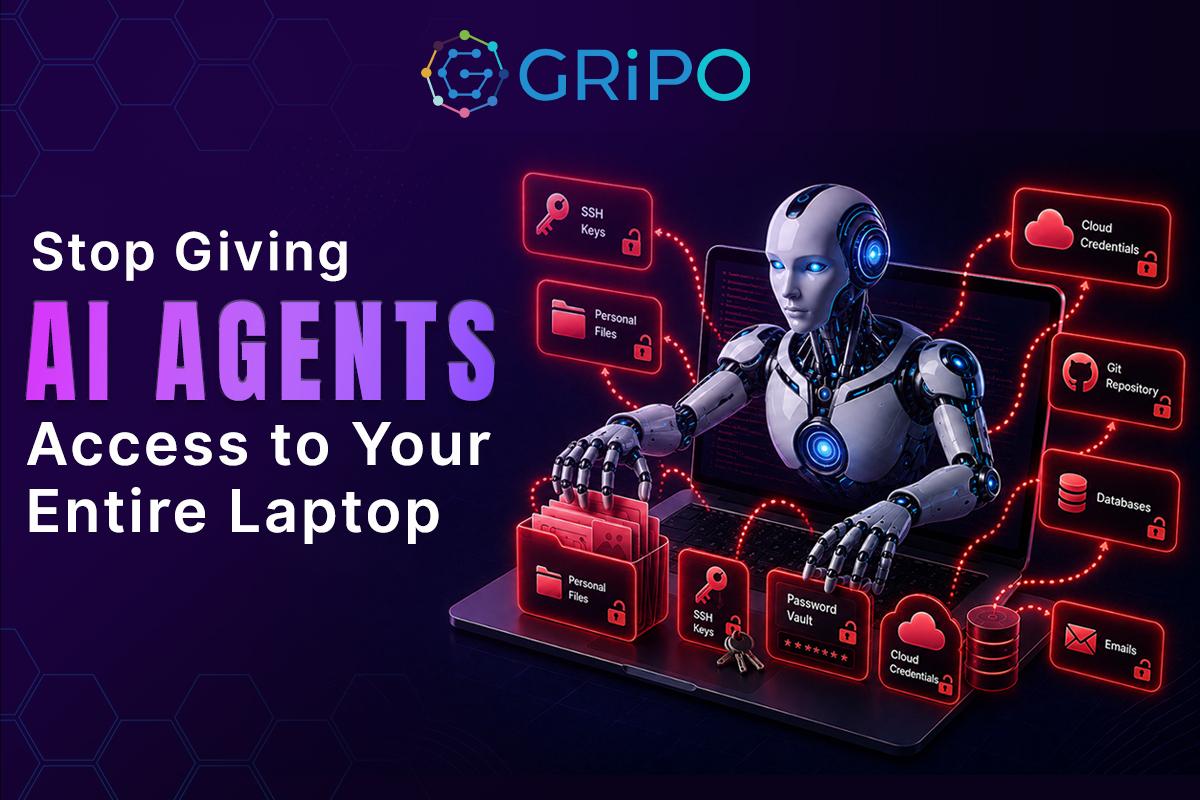
Most developers grant an AI agent permission to access an entire directory-or worse, their whole laptop-without thinking about everything else stored on that machine.
Your laptop isn’t just source code.
It’s where your SSH keys live.
It’s where cloud credentials are stored.
It’s where browser sessions remain authenticated.
It’s where Kubernetes configurations, Terraform state files, VPN certificates, production tokens, and personal documents all coexist.
Once an AI agent has unrestricted local access, it may also gain visibility into data that was never intended to be part of the task.
This isn’t about whether the AI is “malicious.”
It’s about minimizing unnecessary access.
The same security principle applies to every application, automation tool, and engineer:
Never grant more permissions than required.
AI agents should be treated no differently.
A sandbox allows developers to safely benefit from AI-powered automation without exposing everything on their local machine.
This article explains why isolated execution matters, what risks organizations often overlook, and how modern engineering teams can safely integrate AI agents into their development workflow.
Why AI Agents Need Local Access
Modern AI coding assistants aren’t simple chatbots.
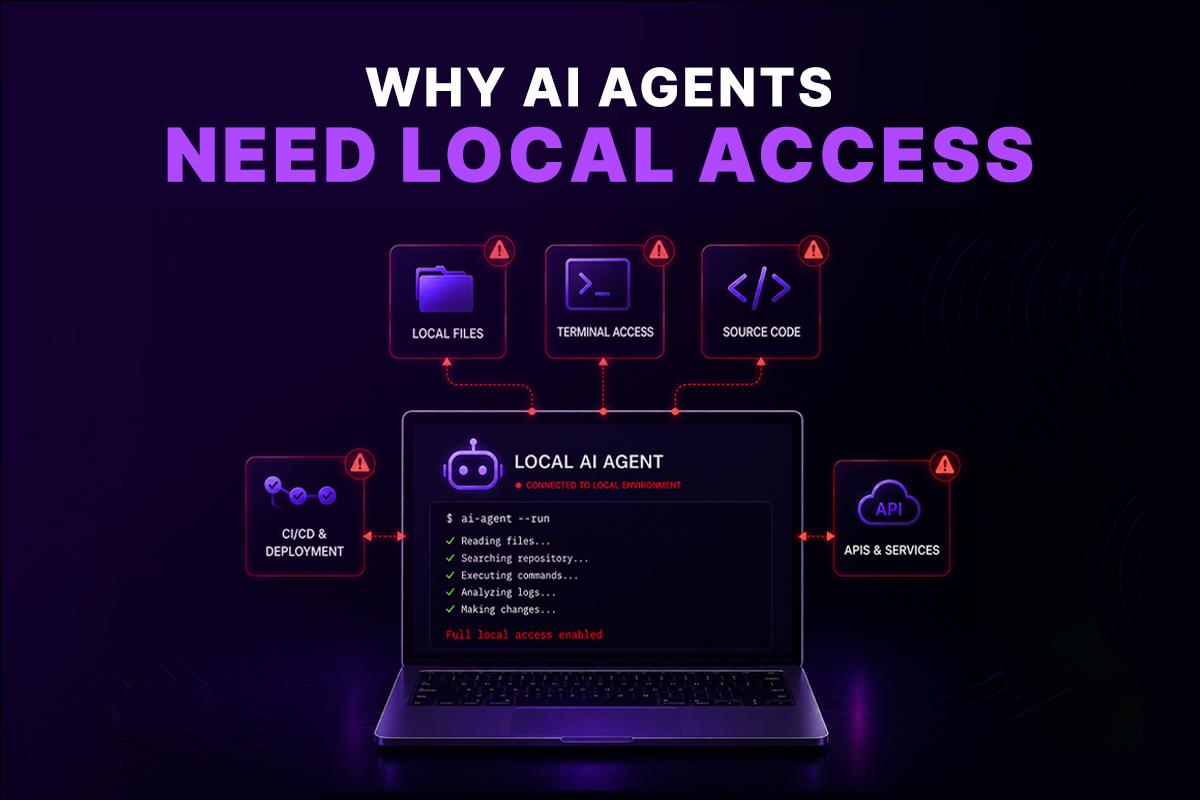
They’re software that actively interacts with your development environment.
Depending on the tool, an AI agent can:
- Read project files
- Search your repository
- Execute shell commands
- Modify source code
- Install packages
- Run tests
- Create commits
- Analyze logs
- Access terminals
- Connect to APIs
- Generate infrastructure files
- Execute deployment scripts
Without these capabilities, many advanced AI workflows simply wouldn’t work.
For example, asking an AI agent to fix a failing CI/CD pipeline requires much more than reading code.
The agent may need to:
- Inspect GitHub Actions workflows.
- Review Dockerfiles.
- Execute test suites.
- Read Kubernetes manifests.
- Analyze build logs.
- Modify configuration files.
- Re-run deployments.
That level of automation delivers tremendous value.
It also dramatically increases the amount of data the AI can access.
The question isn’t whether AI agents should access your development environment.
The question is:
How much of your environment should they actually see?
Your Laptop Contains Far More Than Source Code
Developers often think they’re sharing a single project folder.
In reality, that folder is connected to an entire ecosystem of sensitive information.
A typical engineering laptop may contain:
Cloud Credentials
Developers frequently authenticate with:
- AWS CLI
- Azure CLI
- Google Cloud SDK
- DigitalOcean
- OVHcloud
- Kubernetes clusters
Many credentials remain cached for convenience.
If exposed, they can provide immediate access to cloud infrastructure.
API Keys
Local development often relies on:
- OpenAI API keys
- Anthropic API keys
- Stripe secrets
- Twilio credentials
- GitHub Personal Access Tokens
- Slack tokens
- Jira API keys
- Database passwords
Many of these are stored inside:
- .env
- .env.local
- configuration files
- shell profiles
- development scripts
One accidental read is enough to expose them.
Infrastructure Secrets
Infrastructure teams regularly keep files such as:
- terraform.tfstate
- kubeconfig
- Helm values
- Ansible inventories
- SSH private keys
- VPN certificates
These files can reveal:
- Internal IP addresses
- Cloud architecture
- IAM roles
- Kubernetes clusters
- Service accounts
- Database endpoints
For an attacker, this information is incredibly valuable.
Browser Sessions
Many developers stay logged into:
- GitHub
- AWS Console
- Azure Portal
- Google Cloud Console
- Jira
- Slack
- Internal dashboards
Browser profiles may contain:
- Authentication cookies
- Cached sessions
- Saved credentials
- OAuth tokens
Even if an AI agent never intends to access them, unrestricted local execution increases the potential attack surface.
Personal Information
Developer laptops also contain personal files that have nothing to do with engineering:
- Financial records
- Tax documents
- Family photos
- Password manager exports
- Personal notes
- Email archives
- Banking information
These files should never become part of an AI workflow.
Yet unrestricted local execution makes accidental exposure possible.
The Problem Isn’t the AI-It’s the Permission Model
One of the biggest misconceptions is that AI itself creates the security risk.
It doesn’t.
The real issue is excessive permissions.
Security teams have spent decades applying the Principle of Least Privilege to users, applications, services, and infrastructure.
The same principle should apply to AI agents.
Instead of asking:
“Can this AI fix my code?”
Organizations should ask:
“Exactly what does this AI need access to in order to fix my code?”
Those are very different questions.
An AI agent debugging a Python application doesn’t need access to your tax records.
It doesn’t need production Kubernetes credentials.
It doesn’t need every SSH key on your laptop.
It only needs access to the specific files and tools required for the task.
Restricting access reduces risk without reducing productivity.
That’s precisely why a sandbox has become an essential component of modern AI-assisted software development.
Real-World Risks of Running AI Agents on Your Laptop
Most developers trust AI agents because they are helping them write code. The assumption is that if the prompt is about a single repository, the agent will only interact with that repository.
Unfortunately, that’s not always how local execution works.
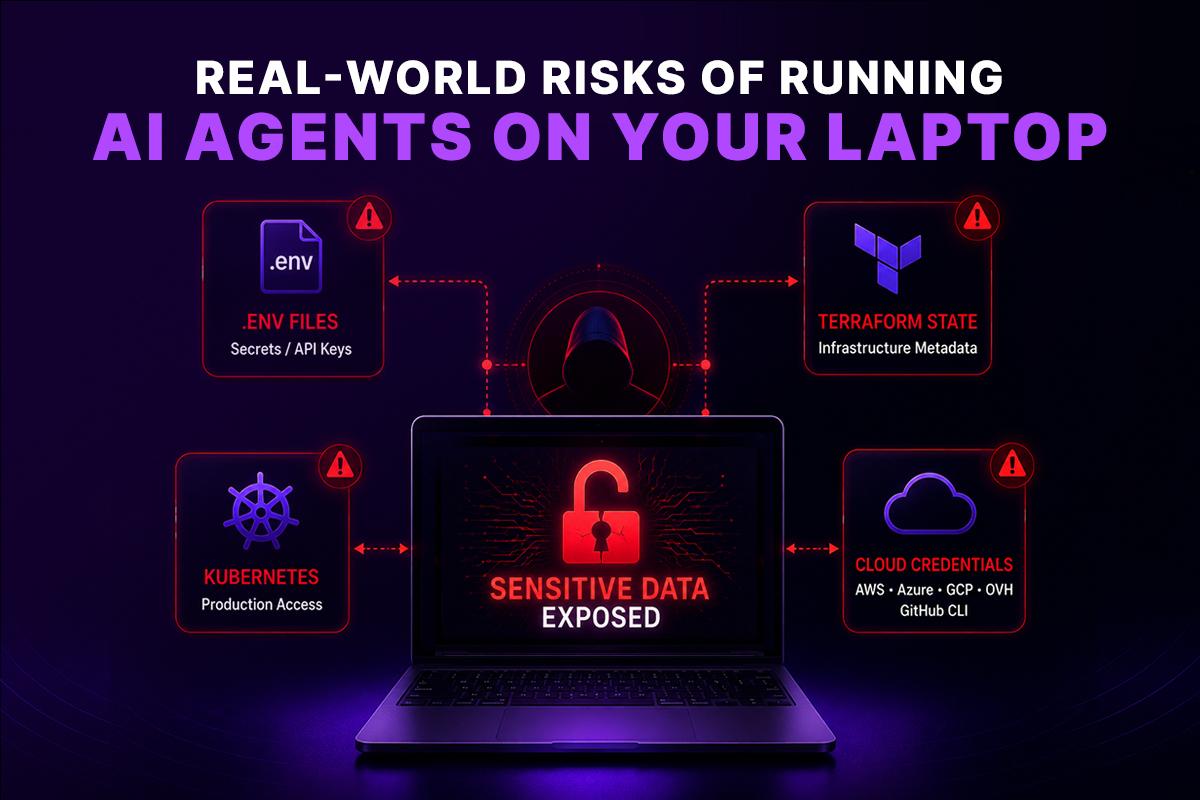
An AI agent operates with the permissions available to it. If the process can read files outside your project, execute shell commands, or access credentials stored on your machine, those resources become part of its potential operating environment.
This doesn’t mean the AI is intentionally trying to access sensitive data. It means the operating system has already granted it those permissions.
From a security perspective, that’s a significant difference.
Scenario 1: The Hidden .env File
Imagine you’re debugging a Node.js application.
You ask an AI agent:
“Find out why my payment service is failing.”
The project contains multiple configuration files, including a .env file with:
- Database passwords
- Stripe secret keys
- Internal API tokens
- Third-party service credentials
To understand the application, the AI may inspect those configuration files.
The problem isn’t that the AI can read them. The problem is those secrets now become part of the execution context when they didn’t need to.
Good security practices separate secrets from application logic whenever possible.
Scenario 2: Terraform State Files
Many DevOps teams accidentally commit or store Terraform state files locally.
A terraform.tfstate file can contain:
- Cloud resource IDs
- Network layouts
- IAM roles
- Access keys
- Database endpoints
- Kubernetes cluster information
Even if no secrets are exposed directly, the infrastructure metadata alone provides valuable information about your environment.
An AI agent troubleshooting infrastructure doesn’t necessarily need unrestricted access to historical state files.
Scenario 3: Kubernetes Administration
Suppose you’re troubleshooting a Kubernetes deployment.
Your laptop contains:
- ~/.kube/config
- Multiple production contexts
- Development clusters
- Staging clusters
- Service account credentials
A simple command such as:
kubectl get pods
may execute against production if the current context is selected.
This isn’t an AI problem.
It’s an environment problem.
When local environments contain multiple privileged contexts, automation inherits that complexity.
Scenario 4: Cached Cloud Credentials
Cloud CLIs are designed for convenience.
After authentication, many tools cache credentials locally.
Examples include:
- AWS CLI
- Azure CLI
- Google Cloud SDK
- OVHcloud CLI
- GitHub CLI
This makes daily development much easier.
It also means AI agents executing shell commands may operate with the same permissions as the developer.
If your account has administrator access, the AI effectively inherits administrator capabilities.
Why Permission Prompts Aren’t Enough
Many AI tools display prompts before executing commands.
Examples include:
- “Allow this command?”
- “Approve file changes?”
- “Run terminal command?”
- “Install dependency?”
These prompts improve transparency.
They do not provide isolation.
If you approve a command, it runs with your permissions.
From the operating system’s perspective, there is no distinction between:
- You running the command
- The AI running the command on your behalf
The process has the same filesystem access, network access, environment variables, and user privileges.
Approval dialogs are useful for preventing accidental actions.
They are not a security boundary.
The Principle of Least Privilege Applies to AI
Enterprise security has followed the Principle of Least Privilege for decades.
Applications receive only the permissions they require.
Service accounts receive narrowly scoped roles.
Developers receive role-based access.
Infrastructure uses temporary credentials whenever possible.
AI agents should follow the same model.
Instead of giving an AI unrestricted access to an entire workstation, define a workspace that contains only what is needed for the task.
For example:
| Task | Required Access | Unnecessary Access |
| Refactor a Python service | Repository files | Personal documents |
| Debug a Docker build | Dockerfile and project | Browser cookies |
| Review Kubernetes manifests | YAML manifests | Production kubeconfig |
| Update Terraform modules | IaC repository | Historical state files |
| Generate documentation | Source code | SSH private keys |
Restricting scope reduces both accidental exposure and the impact of mistakes.
Why a Sandbox Changes Everything
A sandbox changes the execution model.
Instead of running AI tools directly on your laptop, they execute inside an isolated environment designed specifically for the task.
A sandbox can be a temporary container, kubernetes pod, virtual machine, or isolated workspace that contains only the files, tools, and permissions required.
The AI no longer interacts with your entire operating system.
Instead, it interacts with a controlled environment.
A typical sandbox includes:
- A cloned repository
- Required dependencies
- Temporary storage
- Limited environment variables
- Restricted network access
- Defined execution policies
- Automatic cleanup after completion
Once the task finishes, the environment can be destroyed or Keep it for further tasks.
No long-lived sessions.
No unnecessary files.
No persistent credentials.
This approach aligns with the same isolation principles already used for CI/CD pipelines and cloud-native workloads.
Local Execution vs. Sandbox Execution
| Feature | Local Laptop | Sandbox |
| Access to personal files | Yes | No |
| Access to SSH keys | Usually | Only if explicitly provided |
| Cloud credentials | Shared with developer | Temporary or isolated |
| Browser sessions | Available | Not available |
| Project isolation | Limited | Strong |
| Environment consistency | Varies by developer | Reproducible |
| Automatic cleanup | No | Yes |
| Auditability | Limited | Centralized |
| Safe parallel execution | Difficult | Easy |
For individual developers, the difference may seem small.
For enterprise engineering teams, it’s substantial.
Isolation improves security, repeatability, governance, and operational consistency.
What Makes an AI Agent Sandbox Different?
AI Agent sandbox doesn’t change how developers interact with AI Agent-it changes where AI Agent runs.
Instead of executing commands on your personal workstation, the agent runs inside an isolated environment that mirrors your development setup.
From the developer’s perspective, the experience remains familiar:
- The repository is available.
- Dependencies can be installed.
- Tests can be executed.
- Build tools work as expected.
- Terminal commands behave normally.
The difference is that the environment contains only the resources intentionally provided.
Your personal files, browser sessions, SSH keys, cloud credentials, and unrelated projects remain outside the sandbox.
This separation allows developers to use powerful AI-assisted workflows without exposing their entire workstation.
Enterprise Security Requires More Than Isolation
Isolation is only one part of the equation.
Large engineering organizations also need visibility and governance.
Questions security teams commonly ask include:
- Which AI agent executed this workflow?
- What commands were run?
- Which repositories were accessed?
- Who approved the execution?
- Were any secrets mounted?
- What external services were contacted?
- Can the execution be reproduced?
- Can it be audited six months later?
These questions become difficult to answer when AI agents run independently on hundreds of developer laptops.
Centralized execution provides a foundation for:
- Audit logging
- Role-Based Access Control (RBAC)
- Policy enforcement
- Secret management
- Compliance reporting
- Standardized execution environments
- Consistent software versions
- Reproducible builds
These capabilities are increasingly important for organizations working toward frameworks such as SOC 2, ISO 27001, and internal security policies.
As AI becomes part of everyday software development, organizations need the same level of governance they already apply to CI/CD pipelines and cloud infrastructure.
A Sandbox Doesn’t Have to Change the Developer Experience
One concern developers often have is that running AI agents in a sandbox will make their workflow slower or more complicated.
That might have been true a few years ago, but modern sandbox environments are designed to feel almost identical to working on a local machine.
A well-designed sandbox should provide:
- A clean workspace with your project already cloned
- The ability to install packages and dependencies
- Access to common development tools
- Support for Git operations
- Terminal access
- Language runtimes such as Python, Node.js, Go, Java, or Rust
- Docker and Kubernetes tooling when required
- Temporary storage during execution
- Secure access to approved APIs and services
From the AI agent’s perspective, it has everything needed to complete the task.
From the developer’s perspective, the workflow remains familiar.
The difference is that the AI is no longer sharing the same environment as your personal files, browser sessions, SSH keys, or unrelated projects.
This approach gives engineering teams the flexibility of local development with the security benefits of isolated execution.
Building a Secure AI Development Workflow
Moving AI agents into a sandbox is only one part of a secure workflow. Organizations should also adopt operational practices that reduce risk across the entire development lifecycle.
1. Start Every Task in a Fresh Environment
Avoid long-lived workspaces.
Creating a new sandbox for each task reduces the chance of leftover files, cached credentials, or unintended state affecting future executions.
Ephemeral environments also improve reproducibility when debugging issues or reviewing AI-generated changes.
2. Mount Only What Is Required
If an AI agent is updating a single repository, provide access only to that repository.
Avoid mounting:
- Home directories
- Personal Downloads
- Browser profiles
- Password managers
- Entire development workspaces
Reducing the available filesystem is one of the simplest and most effective security controls.
3. Manage Secrets Centrally
Avoid storing API keys directly in repositories or local configuration files.
Instead:
- Use encrypted secret stores.
- Inject credentials only when required.
- Rotate secrets regularly.
- Use short-lived tokens whenever possible.
This minimizes the impact of accidental exposure.
4. Apply Role-Based Access Control
Not every AI workflow requires production permissions.
Use RBAC to limit access based on the task.
For example:
- Documentation generation shouldn’t require cloud credentials.
- Code reviews shouldn’t have deployment permissions.
- Infrastructure analysis doesn’t always need write access.
Assign only the permissions required to complete the current workflow.
5. Log Every Execution
Visibility matters.
Keep records of:
- Commands executed
- Files modified
- External API calls
- Workflow approvals
- Execution time
- User identity
- Generated artifacts
Audit logs help with troubleshooting, compliance, and incident investigations.
Where GRiPO Fits
Many organizations already understand the need for isolated execution, but building and maintaining a secure sandbox platform internally can be complex.
You need to provision environments, manage credentials, standardize tooling, integrate with cloud providers, enforce security policies, and ensure every execution is reproducible.
GRiPO is designed to simplify that process.
Instead of running AI agents directly on developer laptops, GRiPO executes them inside isolated sandboxes that are purpose-built for engineering workflows.
Developers can run AI-powered tasks using familiar tools while keeping their local machines separated from the execution environment.
A typical workflow looks like this:
- A workflow is triggered manually or automatically.
- GRiPO creates an isolated sandbox.
- The required repository and dependencies are prepared.
- Approved secrets and plugins are injected securely.
- The AI agent performs the requested task.
- Results are returned to the workflow.
- The sandbox is destroyed after execution.
This model supports a wide range of engineering activities, including:
- Code generation
- Pull request reviews
- CI/CD automation
- Infrastructure validation
- Kubernetes troubleshooting
- Terraform planning
- Cloud operations
- Automated reporting
- Security scanning
- Scheduled maintenance tasks
Because execution happens inside an isolated environment, organizations can introduce AI automation without exposing every developer’s workstation.
Why Sandboxes Are Becoming a Standard Practice
As AI agents become more capable, they’re taking on increasingly complex responsibilities.
Instead of generating small code snippets, they now:
- Debug production incidents
- Modify infrastructure
- Review pull requests
- Execute deployment scripts
- Analyze logs
- Interact with cloud APIs
- Coordinate multi-step workflows
These capabilities provide significant productivity gains.
They also increase the importance of secure execution.
Just as organizations standardized on CI/CD pipelines, Infrastructure as Code, and containerized workloads, sandboxed AI execution is becoming another best practice for enterprise engineering teams.
The goal isn’t to limit what AI can do.
It’s to control where it does it.
Sandbox Security Checklist
Use this checklist to evaluate your current AI development workflow.
- AI agents run inside isolated environments.
- Every task starts in a fresh workspace.
- Secrets are injected securely rather than stored locally.
- Production credentials are never permanently available.
- Only required repositories are mounted.
- Role-Based Access Control is enforced.
- Every execution is logged.
- Temporary environments are destroyed automatically.
- Developers can reproduce AI executions consistently.
- Security policies are applied across all workflows.
If several items remain unchecked, introducing sandbox-based execution can significantly reduce risk while preserving the productivity benefits of AI-assisted development.
Frequently Asked Questions
How does GRIPO Sandbox isolate AI agents from sensitive data?
GRIPO Sandbox runs every AI agent inside an isolated, ephemeral execution environment rather than directly on a developer’s laptop or production server. Each sandbox provides only the files, tools, network access, and credentials required for the specific task. This prevents AI agents from accessing sensitive resources such as SSH keys, API tokens, cloud credentials, .env files, Terraform state files, or personal documents. Once the workflow is complete, the sandbox is automatically destroyed, ensuring no data or credentials remain behind.
What is a sandbox in software development?
A sandbox is an isolated execution environment where applications or AI agents can run without accessing the rest of a computer or production infrastructure. It limits permissions and reduces security risks.
Why should AI agents run in a sandbox?
Running AI agents inside a sandbox prevents unnecessary access to personal files, credentials, cloud resources, and other sensitive data while still allowing them to complete development tasks.
What is a AI Agent sandbox?
A AI Agent sandbox is an isolated environment where AI Agent performs coding tasks without running directly on your local machine, reducing the risk of exposing sensitive information.
Can a sandbox improve enterprise security?
Yes. Sandboxes support isolation, audit logging, policy enforcement, RBAC, and secure secret management, all of which help strengthen enterprise security.
Does using a sandbox slow down development?
Modern sandbox environments are designed to mirror local development workflows. Most developers experience little or no change in how they work.
Can AI agents access my SSH keys?
If an AI agent runs directly on your laptop and has sufficient permissions, it may be able to access SSH keys. Running the agent in a sandbox prevents access unless those keys are intentionally provided.
Are browser cookies and saved sessions at risk?
Potentially. Local execution environments may expose authenticated browser sessions or cached credentials. Sandboxed environments isolate AI agents from those resources.
Is a sandbox useful for DevOps teams?
Yes. DevOps workflows often interact with infrastructure, Kubernetes clusters, cloud platforms, and deployment tools. Sandboxes reduce the risks associated with those operations.
Can sandboxes work with CI/CD pipelines?
Absolutely. Sandboxes integrate naturally with CI/CD systems, allowing AI agents to perform build, testing, validation, and deployment tasks in isolated environments.
What are the benefits of ephemeral sandbox environments?
Ephemeral sandboxes provide clean workspaces, improve reproducibility, reduce leftover state, and automatically remove temporary data after execution.
Can sandbox environments use cloud credentials securely?
Yes. Credentials can be injected temporarily for a single execution and removed when the task completes, reducing long-term exposure.
Which teams benefit most from sandbox execution?
Platform engineering, DevOps, Site Reliability Engineering (SRE), security teams, cloud engineering teams, and enterprises adopting AI-assisted software development all benefit from isolated execution.
Can GRIPO Sandbox prevent AI agents from accessing SSH keys and local credentials?
Yes. GRIPO Sandbox is designed to isolate AI agents from your local environment. Instead of inheriting access to everything on your workstation, AI agents run inside a secure code sandbox with least-privilege permissions. SSH keys, Kubernetes configurations, cloud credentials, browser sessions, and other sensitive files remain outside the sandbox unless they are explicitly and securely provided for a specific workflow. This significantly reduces the risk of credential exposure while enabling teams to automate development and DevOps tasks safely.