
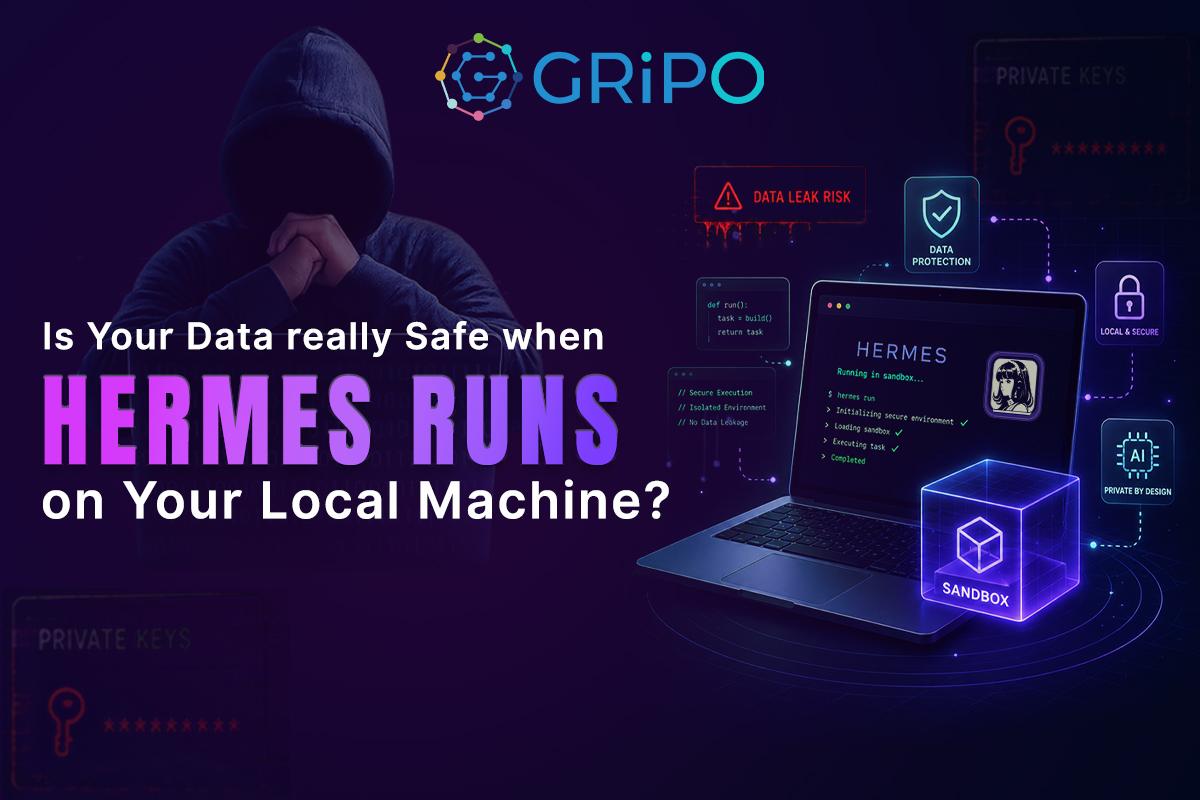
Modern AI agents can write code, deploy infrastructure, troubleshoot production issues, and automate complex DevOps workflows. But with greater capability comes greater responsibility. The real security challenge isn’t whether AI is intelligent – it’s whether the environment it runs in is secure.
Artificial intelligence has evolved far beyond answering questions. Today’s AI agents can review pull requests, generate infrastructure code, deploy applications, investigate incidents, analyze logs, interact with cloud platforms, and automate repetitive engineering tasks that once required significant manual effort.
Hermes belongs to this new generation of autonomous AI agents.
Once connected to your engineering workflows, Hermes can write code, troubleshoot Kubernetes deployments, review Terraform configurations, generate scripts, update repositories, automate CI/CD pipelines, and interact with cloud platforms in seconds.
The productivity gains are immediate.
However, many engineering teams overlook an important question until much later:
What Can Hermes Access While It’s Running?
The answer depends entirely on where Hermes is running.
If Hermes runs directly on a developer’s laptop, it inherits access to everything that environment already contains. That often includes:
- Source code repositories
- API keys and environment variables
- Cloud provider credentials
- SSH keys
- Kubernetes configuration files
- Terraform state files
- Docker credentials
- Local databases
- Internal documentation
- Customer datasets
- Browser sessions
- VPN configurations
- Password managers
Individually, these resources may not seem particularly sensitive.
Together, they represent the operational blueprint of an entire organization.
Hermes doesn’t need malicious intent to create risk. A prompt, plugin, configuration mistake, or unexpected workflow could expose information that was never meant to leave the machine.
This is why secure execution environments have become just as important as the AI models themselves.
A sandbox is no longer just a developer convenience—it’s an essential part of enterprise AI security.
AI Agents Are Different From Traditional Automation
For years, engineering teams have relied on automation tools such as Jenkins, GitHub Actions, GitLab CI, Terraform, Ansible, and Kubernetes operators.
These systems follow predefined instructions.
A Jenkins pipeline executes the same deployment steps every time.
Terraform applies infrastructure based on a fixed configuration.
A scheduled script performs only the actions it was explicitly programmed to perform.
Their behavior is predictable because every decision has already been defined by a human.
AI agents work differently.
Instead of following a rigid sequence of instructions, they interpret requests, reason through problems, and determine which files, commands, APIs, or systems they need to interact with to accomplish a task.
For example, when asked to investigate a failed deployment, Hermes might:
- Review deployment logs
- Inspect Kubernetes resources
- Analyze Terraform configurations
- Query cloud services
- Generate debugging scripts
- Recommend infrastructure changes
This flexibility is exactly what makes AI agents so powerful.
It also changes the security model.
Traditional automation asks:
Can this workflow execute successfully?
Modern AI requires a different question:
Is the environment where the AI runs secure enough for the level of access it has?
Instead of trying to limit what the AI can think, organizations should carefully control what the AI can access.
Why Running Hermes Outside a Sandbox Creates Security Risks
Many developers prefer running AI tools directly on their workstation because it’s fast, convenient, and easy to set up.
For personal experiments, this approach often works well.
Enterprise environments are different.
A typical developer laptop contains years of accumulated credentials, cached sessions, development tools, repositories, configuration files, and production access.
Some common examples include:
- AWS, Azure, or Google Cloud credentials
- Kubernetes kubeconfig files
- Docker registry credentials
- GitHub personal access tokens
- SSH private keys
- Terraform state files
- Local .env files
- Internal documentation
- Database connection strings
- Customer test data
Most developers don’t think about these resources because they use them every day.
An AI agent, however, sees an execution environment—not a workstation.
If Hermes has permission to interact with these files, it may use them while completing legitimate requests.
That doesn’t mean Hermes is unsafe.
It means the environment provides far more access than the task actually requires.
This is one of the most common security challenges organizations face when adopting AI-powered engineering workflows.
The risk isn’t the model.
The risk is unrestricted execution.
Why a Sandbox Improves AI Security , Not Limiting AI
Enterprise security has followed the same principle for decades.
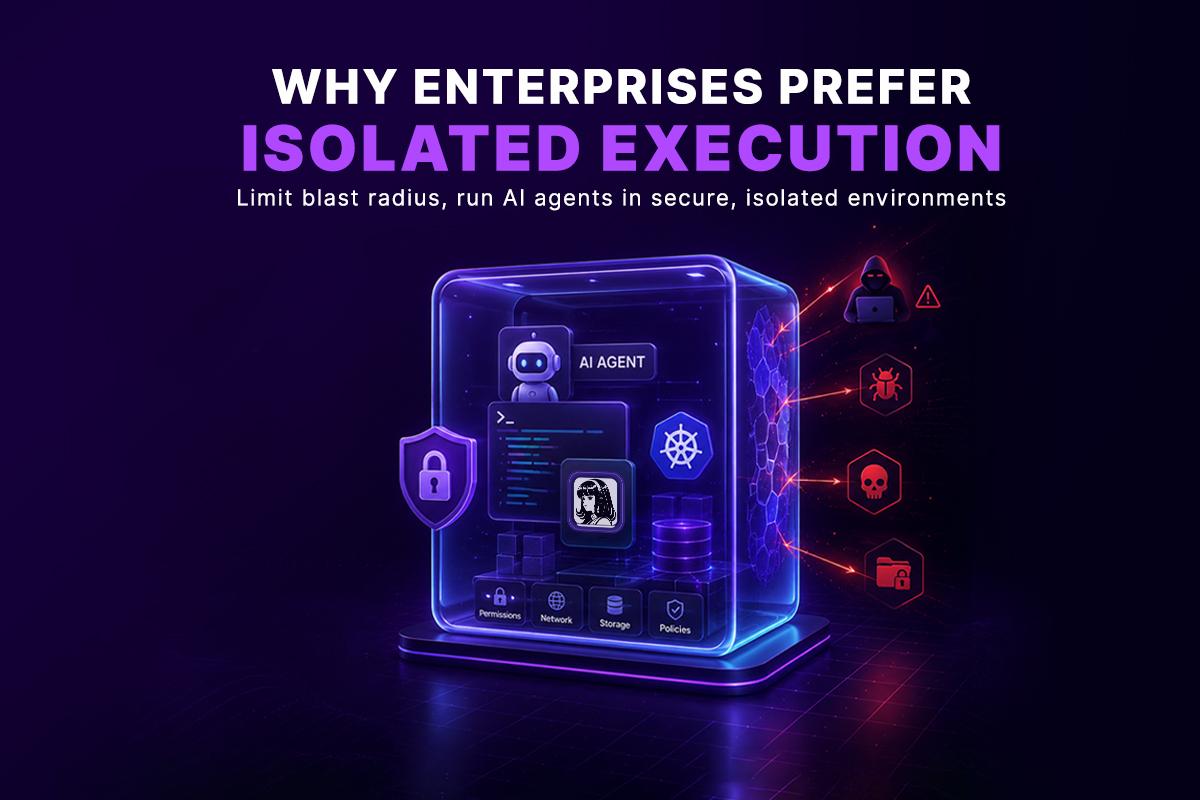
Organizations don’t give every application unrestricted access to production databases.
Containers don’t automatically receive root privileges.
Cloud workloads use IAM roles with carefully scoped permissions.
Secrets are stored in dedicated vaults instead of application code.
Networks are segmented to reduce blast radius.
The objective has always been the same:
Limit access to only what’s necessary.
AI agents should follow exactly the same security model.
Instead of running directly on developer workstations or production infrastructure, they should execute inside environments where permissions, storage, network access, and available resources are intentionally controlled.
This approach doesn’t reduce what AI can accomplish.
It reduces unnecessary risk while giving engineering teams confidence to automate more complex workflows.
Why Secure Execution Matters More as AI Becomes More Autonomous
Today’s AI agents already perform tasks that were once handled exclusively by experienced engineers.
They review infrastructure code.
Deploy applications.
Investigate incidents.
Manage cloud resources.
Generate automation.
Coordinate workflows across multiple services.
Over the next few years, they’ll become even more capable.
As AI takes on greater responsibility, organizations must shift their focus from model capabilities to execution security.
An intelligent AI agent running inside an unrestricted environment creates unnecessary operational risk.
The same AI agent running inside a controlled sandbox becomes a reliable engineering assistant.
That distinction will define how enterprises safely adopt AI at scale.
Real DevOps Scenarios Where Sandboxes Make a Difference
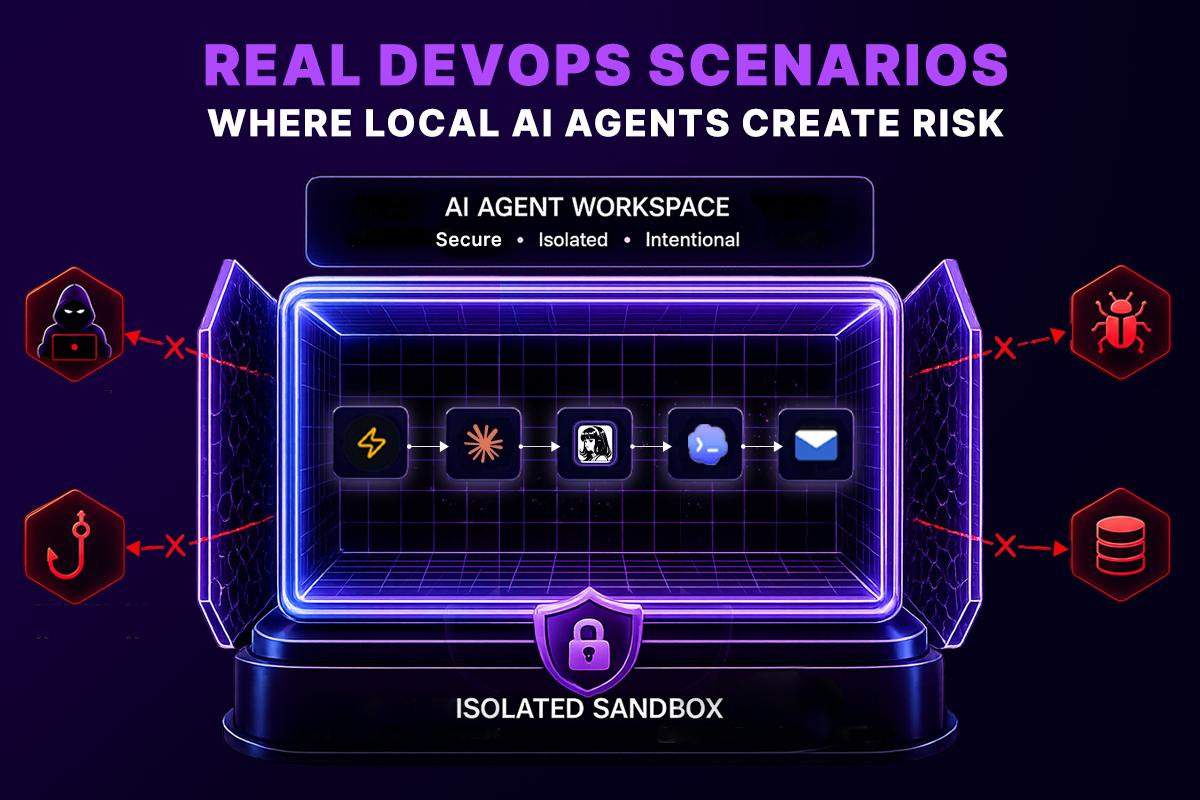
Security discussions often feel abstract until they’re applied to real engineering workflows. The following examples show how isolated execution environments help reduce operational risk while allowing AI agents like Hermes to automate complex DevOps tasks.
Scenario 1: Reviewing Infrastructure as Code
Infrastructure changes are among the most sensitive operations in modern engineering teams.
Imagine asking Hermes to review a Terraform pull request before deployment. To provide meaningful recommendations, the agent may need access to:
- Infrastructure modules
- Terraform plans
- Variable files
- Cloud documentation
- Repository history
In a local environment, those resources often sit alongside production credentials and unrelated projects. An isolated sandbox changes that by providing only the files required for the review, preventing the AI agent from interacting with resources outside the current task.
Instead of exposing an entire workstation, the organization exposes only a controlled workspace.
Scenario 2: Troubleshooting Kubernetes Workloads
Kubernetes troubleshooting frequently requires inspecting deployment manifests, logs, events, and cluster configurations.
Rather than connecting coding agent directly to a developer’s workstation with persistent cluster credentials, a sandbox can provide temporary access to a specific namespace or staging environment.
This approach allows the AI agent to:
- Analyze deployment failures
- Review pod logs
- Inspect resource configurations
- Recommend configuration changes
without granting unrestricted access to every cluster the engineer manages.
The result is safer troubleshooting with clearly defined boundaries.
Scenario 3: Investigating CI/CD Pipeline Failures
Modern CI/CD pipelines contain deployment scripts, build artifacts, package registries, and environment-specific configuration.
When coding agent investigates a failed pipeline, it doesn’t need permanent access to production secrets or developer credentials. It only needs the logs and resources required to understand why the deployment failed.
Running this workflow inside a sandbox ensures every investigation starts in a clean environment while limiting access to only the information relevant to that pipeline.
This improves both security and repeatability.
Why Sandboxes Are Becoming Standard for AI Workloads
Engineering teams have long relied on isolation to protect applications.
Virtual machines isolated workloads.
Containers improved efficiency while maintaining separation.
Kubernetes introduced namespaces, network policies, and workload isolation.
AI agents represent the next type of workload that benefits from the same architectural principles.
Instead of executing directly on laptops or production servers, AI agents run inside isolated environments where organizations define:
- Available files
- Network access
- Installed tools
- Runtime dependencies
- External integrations
- Execution policies
This provides a predictable environment that is easier to secure, monitor, and reproduce.
Rather than treating AI differently, enterprises are extending proven infrastructure practices to a new class of workloads.
How GripoFlow Sandbox Provides Secure AI Code Execution
GripoFlow Sandbox provides an isolated execution environment specifically designed for AI-powered engineering workflows.
Instead of running coding agent directly on a developer’s machine, every task executes inside a dedicated sandbox with controlled access and predefined permissions.
This approach gives engineering teams several operational advantages.
Clean Execution Every Time
Each sandbox starts from a fresh environment without cached credentials, temporary files, or leftover processes from previous sessions.
Every workflow begins in a known state, making results easier to reproduce and troubleshoot.
Permission-Based Resource Access
Coding agent receives only the resources required for the current workflow.
Rather than inheriting access from a developer workstation, permissions are intentionally granted based on the task being performed.
This significantly reduces unnecessary exposure while supporting the principle of least privilege.
Safe Testing Before Production
Engineering teams continuously experiment with new prompts, automation workflows, plugins, and deployment strategies.
GripoFlow Sandbox provides a safe environment for validating those workflows before they interact with production infrastructure.
Teams can iterate confidently without increasing operational risk.
Consistent Execution Across Teams
Every engineer works within the same standardized runtime.
Dependencies, tools, and runtime configuration remain consistent regardless of who launches the workflow.
This reduces environment-specific issues and simplifies collaboration across teams.
Secure Integrations
GripoFlow Sandbox can securely connect to services such as:
- AWS
- Azure
- Google Cloud
- Kubernetes
- GitHub
- GitLab
- Jira
- Slack
- Datadog
- PostgreSQL
- Redis
Each workflow receives only the integrations and credentials explicitly assigned to it, helping organizations maintain clear security boundaries.
Secure Execution Without Changing the Developer Experience
One common concern about running AI agents inside a sandbox is that developers will lose the convenience of working on their local machine. In practice, the goal is exactly the opposite.
A well-designed sandbox should feel like a natural extension of the developer’s existing workflow. Engineers can connect to the environment, edit code, execute commands, install dependencies, use familiar development tools, and interact with repositories just as they would on their own workstation. The difference is that every action happens inside an isolated execution environment instead of directly on a laptop containing years of accumulated credentials, personal files, and production access.
For developers, the experience remains familiar. For security teams, the execution boundary becomes significantly stronger.
By separating the execution environment from the local machine, organizations reduce unnecessary exposure without introducing friction into the development process. Teams continue to work the way they always have while gaining stronger isolation, better governance, and more consistent execution environments.
Beyond Secure Execution: Building Intelligent AI Workflows
Running coding agent inside an isolated sandbox is only the first step. Modern engineering workflows rarely involve a single AI agent working in isolation. Complex tasks often require multiple stages, different tools, and specialized agents working together.
GripoFlow extends the sandbox model by allowing isolated environments to become part of larger automated workflows. A workflow can coordinate multiple sandboxes, AI agents, cloud services, and DevOps tools while keeping every execution isolated and independently controlled.
For example, one workflow could:
- Launch a coding agent to review Terraform changes.
- Start another sandbox to validate Kubernetes manifests.
- Run automated security or compliance checks in a separate isolated environment.
- Execute integration tests using another AI agent.
- Collect the results and automatically trigger approvals, deployments, or notifications.
Each sandbox operates with its own permissions and resources, ensuring that every stage of the workflow remains isolated while still contributing to a single automated process.
This architecture allows organizations to scale AI automation without sacrificing security or operational control.
Durable Execution of AI Agents That Improve Over Time
One limitation of running AI agents locally is that every session typically starts from scratch. If the agent encounters an interruption, loses context, or requires additional information, developers often need to restart the conversation and repeat previous instructions.
GripoFlow introduces a more persistent execution model.
Instead of treating every execution as a completely new session, organizations can build workflows where AI agents preserve context, resume long-running tasks, and continue from previous execution states when appropriate. Rather than beginning again after an interruption, an agent can pick up where it left off, reducing repetitive work and improving operational efficiency.
Persistent agents can also become part of reusable workflows. Teams can refine prompts, define standard operating procedures, and connect agents into repeatable automation pipelines. Over time, these workflows capture engineering knowledge and organizational best practices, allowing AI agents to behave consistently across projects and teams.
Instead of repeatedly teaching an AI agent how to perform the same task, organizations can build workflows that encode those behaviors once and reuse them wherever they’re needed. As automation evolves, the workflow improves-not just the individual AI session.
Local Execution vs. Sandbox Execution
| Feature | Local Machine | GripoFlow Sandbox |
| Access to local files | Full workstation access | Only assigned resources |
| Credentials | Existing local credentials | Temporary, workflow-specific credentials |
| Runtime consistency | Varies by developer | Standardized environment |
| Reproducibility | Difficult | Consistent and repeatable |
| Security boundaries | Limited | Clearly defined |
| Auditability | Challenging | Centralized visibility |
| Production isolation | Often shared | Fully separated |
Best Practices for Running AI Agents Securely
Organizations adopting AI-powered engineering workflows should establish clear operational standards from the beginning.
Use isolated execution environments
Run AI agents inside dedicated sandboxes rather than directly on developer workstations whenever possible.
Apply least-privilege access
Grant only the permissions required for each workflow.
Separate development and production
Validate automation in controlled environments before interacting with live infrastructure.
Manage secrets securely
Store credentials in centralized secret management systems instead of local configuration files.
Monitor AI activity
Maintain visibility into executed workflows, accessed resources, and generated changes.
Review integrations regularly
Ensure plugins and external services continue to have only the permissions they require.
Final Thoughts
AI agents are rapidly becoming trusted collaborators for software development, infrastructure management, and DevOps automation.
As organizations expand their use of autonomous AI, the focus must shift beyond model capability to execution security.
The question is no longer whether AI can automate engineering work.
The question is whether it can do so inside an environment designed to protect source code, infrastructure, credentials, and production systems.
Running coding agent inside GripoFlow Sandbox enables organizations to combine AI-powered automation with the security, consistency, and governance expected in modern enterprise environments.
The future of AI isn’t simply more intelligent agents—it’s smarter execution.
By adopting isolated sandboxes, engineering teams can automate confidently, scale responsibly, and build AI workflows without compromising security.
Frequently Asked Questions
How does GripoFlow Sandbox help secure AI agents?
GripoFlow Sandbox runs AI agents like Hermes inside isolated cloud environments instead of directly on developer workstations. Each workflow receives controlled permissions, secure integrations, consistent runtime environments, and centralized governance, helping organizations automate safely without exposing sensitive infrastructure.
Why should AI agents run inside a sandbox instead of a local machine?
Running AI agents inside a sandbox isolates them from your local workstation, reducing access to sensitive files, credentials, and production resources. This improves security, consistency, and governance while allowing AI agents to perform tasks in a controlled environment.
What is a sandbox in software development?
A sandbox is an isolated execution environment where applications, scripts, or AI agents can safely run without affecting the host system or production infrastructure. Sandboxes help protect sensitive data, limit system access, and provide a secure environment for testing, automation, and code execution.
What is a code sandbox?
A code sandbox is a secure, isolated environment where developers or AI agents can execute code without impacting the underlying operating system or production systems. It enables safe testing, debugging, automation, and infrastructure management while reducing operational risk.
How does a sandbox protect sensitive data?
A sandbox protects sensitive data by limiting what an application or AI agent can access. Instead of exposing your entire workstation, it provides only the files, credentials, network connections, and permissions required for the current task, reducing the risk of accidental data exposure.
Can AI agents access files on my computer?
Yes. If an AI agent runs directly on your local machine and has the necessary permissions, it may access source code, API keys, SSH keys, cloud credentials, configuration files, and other sensitive resources. Running the agent inside a sandbox significantly limits that access.
What are the benefits of using a sandbox for DevOps automation?
A sandbox improves DevOps automation by providing isolated code execution, consistent environments, secure integrations, easier debugging, repeatable workflows, and stronger security controls. It also reduces configuration drift and supports safer infrastructure automation.
What’s the difference between running Hermes locally and inside a sandbox?
When Hermes runs locally, it inherits your workstation’s permissions and may access files, credentials, and connected systems. Inside a sandbox, Hermes operates in an isolated environment with predefined permissions, ensuring it only interacts with the resources required for the current workflow.
Is a sandbox the same as a virtual machine or a container?
Not exactly. Virtual machines and containers provide different levels of isolation, while a sandbox is a broader execution model focused on securely running applications or AI agents with controlled access. Modern sandboxes often use containers, virtual machines, or both to achieve strong isolation.
Why are sandboxes important for enterprise AI?
Enterprise AI often interacts with source code, cloud infrastructure, internal systems, and sensitive business data. Sandboxes provide controlled execution, permission management, auditing, and workload isolation, making AI automation safer and easier to govern at scale.
Can a sandbox connect to cloud platforms and DevOps tools?
Yes. Modern sandboxes can securely connect to platforms such as AWS, Azure, Google Cloud, Kubernetes, GitHub, GitLab, Jira, Slack, and other enterprise services. Access is granted only to the integrations and credentials required for each workflow.
Does using a sandbox improve compliance?
Yes. Sandboxes support security and compliance initiatives by enforcing least-privilege access, isolating sensitive workloads, improving auditability, and separating development from production environments. These capabilities help organizations meet frameworks such as SOC 2, ISO 27001, HIPAA, GDPR, and PCI DSS.
Can a sandbox improve AI workflow reliability?
Yes. Every sandbox starts from a consistent execution environment, eliminating differences in operating systems, dependencies, and local configurations. This makes AI workflows more predictable, reproducible, and easier to troubleshoot across engineering teams.
What should I look for in an enterprise code sandbox?
An enterprise-ready code sandbox should provide isolated execution, secure credential management, least-privilege access controls, audit logging, cloud integrations, reusable environments, workflow automation, and support for AI agents operating across multiple systems.
When should organizations use a sandbox?
Organizations should use a sandbox whenever AI agents or automation workflows interact with source code, cloud platforms, Kubernetes clusters, CI/CD pipelines, customer data, production infrastructure, or sensitive business systems. Isolated execution reduces operational risk while enabling secure, scalable automation.