
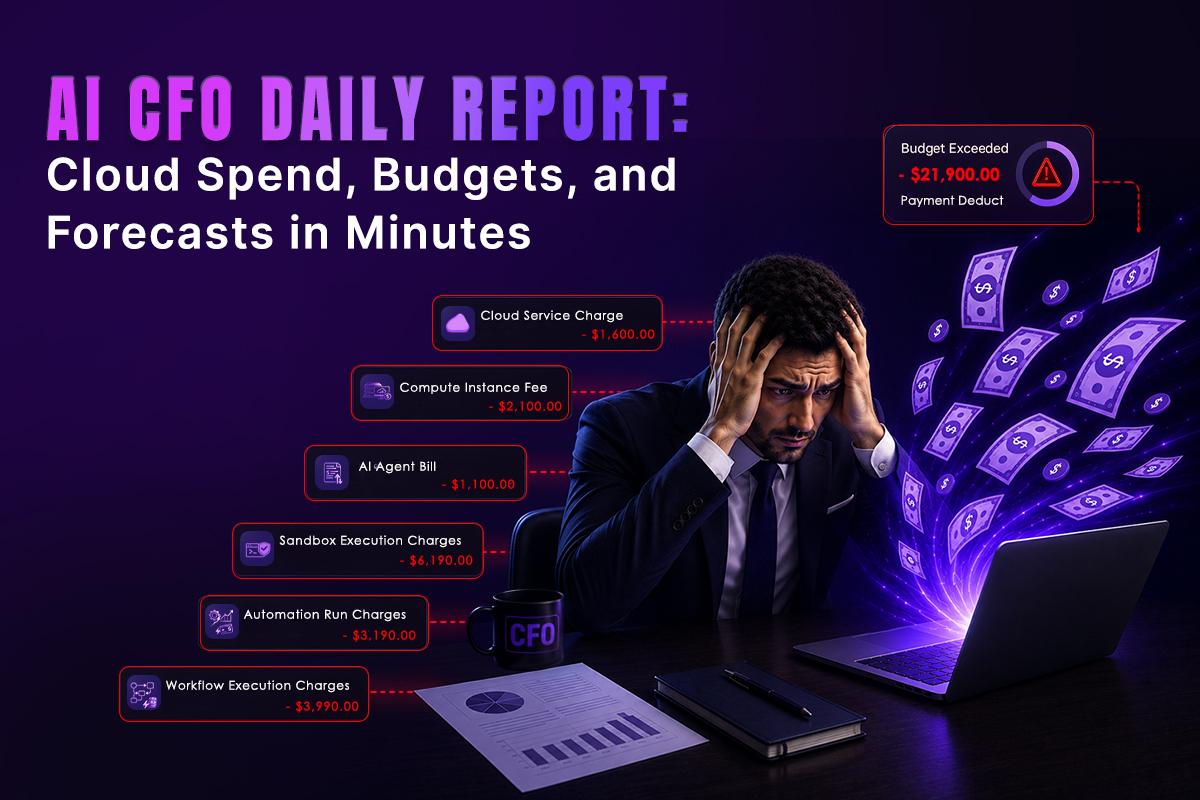
Every morning, executives ask the same questions:
- How much did we spend yesterday?
- Are we still within budget?
- Which cloud services are driving costs?
- Will we exceed this month’s forecast?
- Is there anything that needs immediate attention?
For many organizations, answering these questions still involves exporting billing reports, combining spreadsheets, checking dashboards across multiple cloud providers, and manually preparing executive summaries. By the time the report reaches leadership, the data is already days-old.
Modern FinOps teams are moving toward AI-generated daily reports that consolidate cloud spending, budget utilization, forecasts, and optimization opportunities into a single executive briefing. Instead of spending time collecting data, teams can focus on making better financial decisions.
However, introducing AI into financial reporting raises an important question:
How do you allow an AI agent to access cloud billing data without exposing sensitive credentials, infrastructure, or production environments?
The answer isn’t just AI-it’s running AI inside a secure sandbox.
Why Daily Cloud Financial Reports Matter
Cloud infrastructure changes constantly. New deployments, auto-scaling events, storage growth, and idle resources can all impact costs within hours.
Waiting until the end of the month to review spending often means discovering problems after the budget has already been exceeded.
A daily report helps organizations:
- Track cloud spending trends
- Compare actual costs against budgets
- Identify unusual spending spikes
- Monitor reserved instance utilization
- Review savings opportunities
- Forecast month-end costs
- Keep engineering and finance aligned
Instead of reacting to invoices, teams can respond to changes as they happen.
What an AI CFO Daily Report Should Include
An effective executive report should provide concise, actionable insights rather than overwhelming stakeholders with raw billing data.
| Section | Purpose |
| Cloud Spend Summary | Total spend by cloud provider |
| Budget Status | Remaining budget and utilization percentage |
| Daily Spend Trend | Compare spending with previous days |
| Forecast | Predict end-of-month costs |
| Top Cost Drivers | Identify expensive services |
| Optimization Opportunities | Idle resources and savings recommendations |
| Anomaly Detection | Unexpected cost spikes |
| Executive Summary | AI-generated explanation for leadership |
Leadership wants answers-not dashboards.
The Challenge of Manual FinOps Reporting
Many organizations rely on multiple platforms:
- AWS Cost Explorer
- Azure Cost Management
- Google Cloud Billing
- Kubernetes cost tools
- Internal finance systems
- Business intelligence dashboards
Collecting information from each source every morning quickly becomes repetitive.
Typical workflow:
- Download billing data.
- Export Kubernetes costs.
- Compare budgets.
- Update spreadsheets.
- Build charts.
- Write executive summaries.
- Email stakeholders.
This process is slow, inconsistent, and difficult to scale across multiple business units.
Where AI Can Help
AI agents excel at repetitive analytical work.
A well-designed workflow can automatically:
- Query cloud billing APIs
- Analyze spending trends
- Detect anomalies
- Compare budgets
- Forecast month-end costs
- Explain unusual changes
- Generate executive summaries
- Deliver reports through Slack or email
Instead of replacing FinOps professionals, AI helps them spend less time gathering data and more time acting on insights.
Why AI Needs a Sandbox
Cloud billing systems contain more than spending information.
They often include:
- Cloud account identifiers
- Project names
- Resource metadata
- IAM roles
- Billing account relationships
- Internal tags
- API credentials
- Infrastructure inventory
Giving an AI unrestricted access to these systems increases risk.
A sandbox provides an isolated execution environment where the AI agent receives only the permissions and data required for the reporting workflow.
Rather than running directly on an engineer’s workstation or production server, the AI operates in a controlled environment with limited access.
This approach reduces the impact of configuration mistakes, prompt injection attempts, or compromised dependencies while supporting stronger governance and auditing.
Why a GRiPO Sandbox Makes Financial Automation Safer
Many organizations experiment with AI coding tools to automate reporting workflows. If those tools run directly on a developer’s machine, they may have access to far more information than necessary.
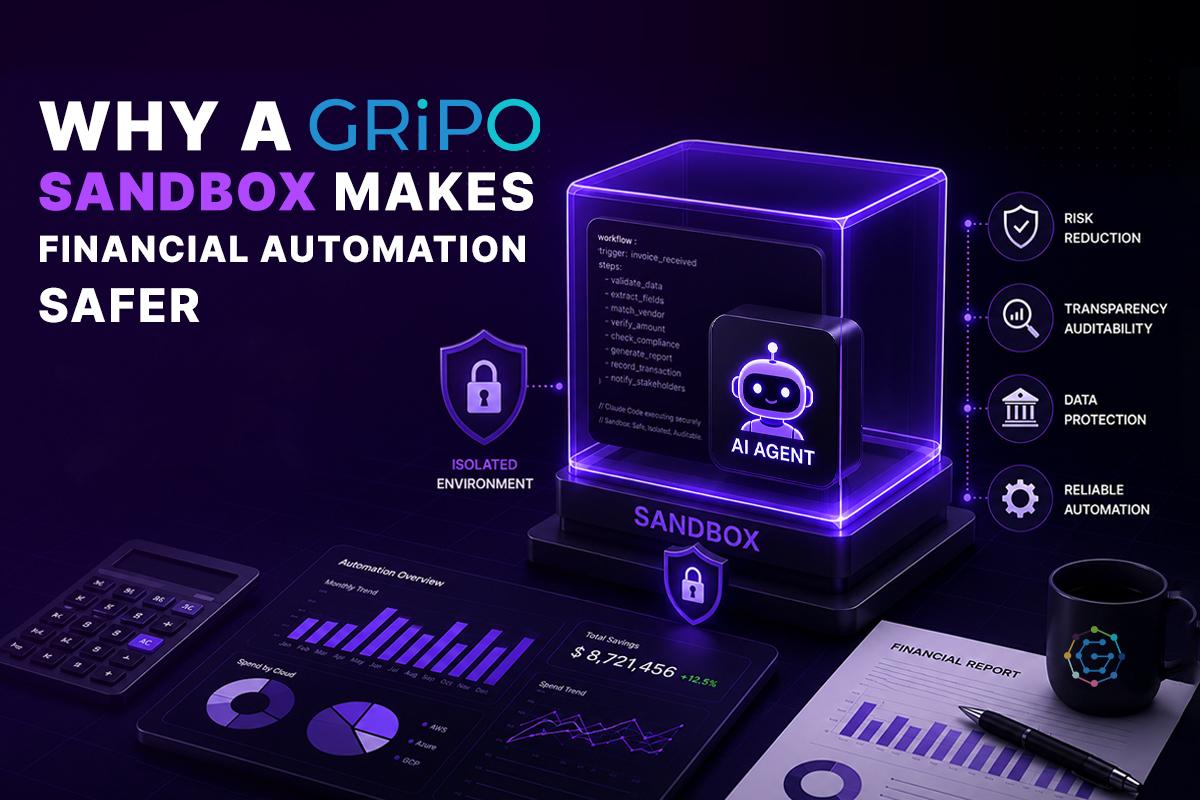
A Claude Code sandbox limits that exposure by isolating the execution environment.
Instead of granting access to an entire workstation, the sandbox can provide:
- Read-only billing exports
- Temporary API credentials
- Selected cloud accounts
- Approved reporting scripts
- Required Python libraries
- Logging and audit trails
The AI can complete its reporting task without unrestricted access to source code, personal files, or unrelated infrastructure.
This follows the principle of least privilege, which is widely adopted across enterprise security programs.
Example Architecture
OVH Cloud Billing API
OVH Metrics API
OVH Public Cloud Resources
│
▼
GRiPO Workflow
│
▼
Secure Sandbox
│
▼
AI Agent
│
├── Retrieve billing data
├── Monitor cloud resources
├── Detect unusual spending
├── Forecast future costs
├── Recommend savings
├── Generate AI CFO report
└── Trigger automated workflows
│
▼
Slack • Email • Dashboard • PDF
Forecasting Cloud Spend with AI
Historical billing data is valuable, but executives need forward-looking insights.
An AI workflow can evaluate:
- Daily spending velocity
- Weekly trends
- Seasonal patterns
- Reserved instance utilization
- Savings Plans coverage
- Kubernetes scaling
- Upcoming infrastructure deployments
- Historical billing cycles
The result is a practical forecast that helps finance teams anticipate month-end costs and adjust budgets before overruns occur.
Enterprise Considerations
When implementing AI-driven financial reporting, enterprises should plan beyond the reporting logic itself.
Key considerations include:
- Identity and access management: Grant only the permissions required for billing data.
- Auditability: Record AI actions and report generation for compliance.
- Data residency: Ensure reports and logs meet regional data requirements.
- Credential management: Use temporary or vaulted credentials instead of long-lived secrets.
- Approval workflows: Require human review before high-impact recommendations trigger automated actions.
- Scalability: Design workflows that support multiple cloud accounts, business units, and environments.
These practices help maintain trust in automated reporting while aligning with governance frameworks such as SOC 2 and ISO 27001.
How GRiPO Automates the Modern FinOps Workflow
A platform such as GRiPO can help orchestrate secure AI-powered FinOps workflows by combining visual workflow automation with isolated execution environments.
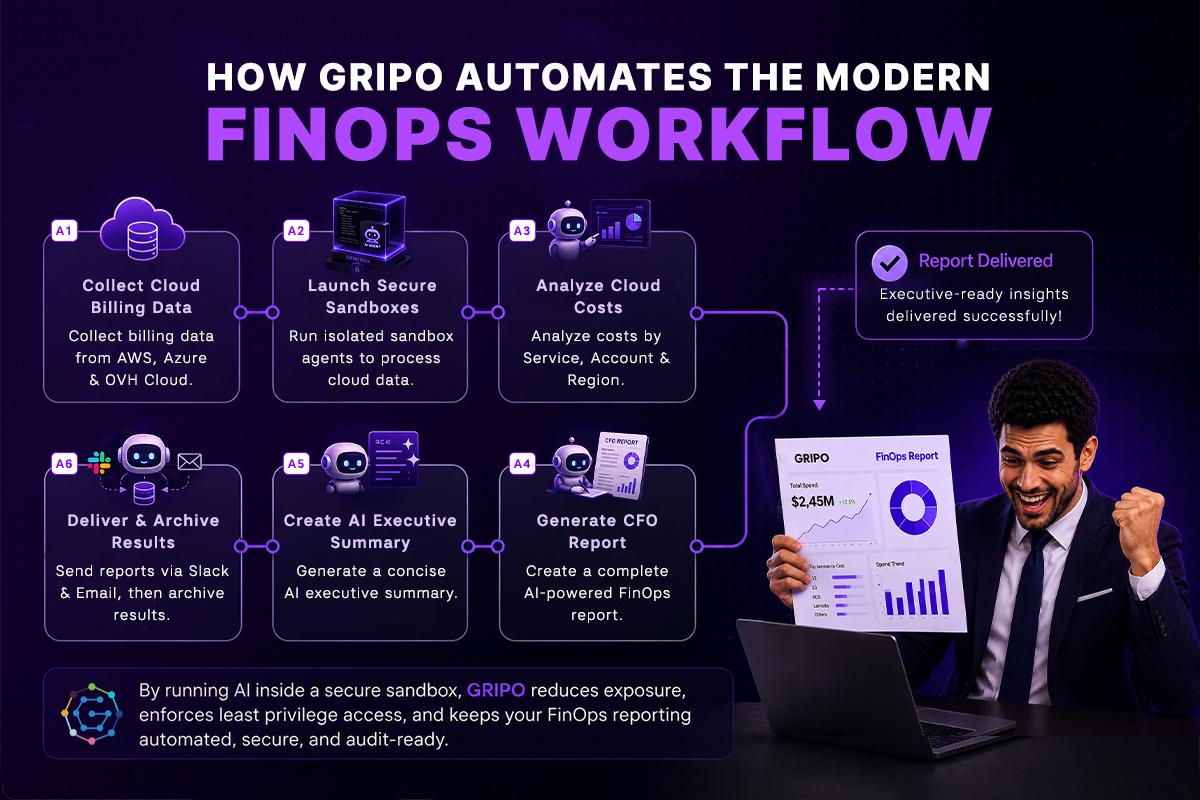
For example, a workflow can:
- Collect billing data from AWS, Azure, and Google Cloud.
- Launch an isolated sandbox for report generation.
- Execute AI analysis with only the required data and permissions.
- Produce an executive-ready summary.
- Deliver the report to Slack, Microsoft Teams, or email.
- Archive results for auditing and historical analysis.
Because the AI runs inside a sandbox, organizations can reduce unnecessary exposure of developer workstations and production environments while keeping reporting automated.
Sandbox AI Reporting: Frequently Asked Questions
Which cloud providers can be included in an AI financial report?
AI financial reporting workflows can integrate with virtually any cloud platform that provides billing, usage, or cost APIs. This includes major cloud providers such as AWS, Microsoft Azure, Google Cloud Platform (GCP), OVHcloud, and Kubernetes cost monitoring solutions. With GRiPO‘s universal plugin framework, you can connect to any cloud provider or infrastructure platform that exposes an API-including private clouds, hosting providers, and FinOps tools-to collect cost data, analyze spending, forecast budgets, detect anomalies, and generate AI-powered executive reports from a single workflow.
This version highlights that GRiPO is not limited to AWS, Azure, or GCP-any cloud or service with an API can be integrated through GRiPO plugins.
What is an AI CFO daily report?
An AI CFO daily report is an automated financial summary that provides cloud spend, budget utilization, cost forecasts, anomalies, and optimization recommendations. It helps CFOs, CTOs, and FinOps teams make informed decisions without manually compiling reports.
Why should cloud spending be reviewed every day?
Daily cloud cost reviews help organizations identify unexpected spending, track budget usage, detect anomalies early, and take corrective action before monthly invoices exceed expectations.
How does AI automate cloud financial reporting?
AI can collect billing data from cloud providers, analyze spending patterns, compare budgets, forecast future costs, identify anomalies, and generate executive-ready reports that are delivered automatically through email, Slack, or dashboards.
What is a sandbox in AI automation?
A sandbox is an isolated execution environment where AI agents can perform tasks without direct access to a developer’s computer or production infrastructure. It limits permissions, improves security, and reduces the risk of exposing sensitive data.
Why is a AI agent sandbox important?
An AI agent sandbox provides an isolated, secure execution environment where AI coding agents such as Claude Code, Codex, and other CLI-based agents can run without direct access to your local machine. Instead of giving the agent unrestricted access to your laptop, the sandbox exposes only the files, tools, credentials, and cloud resources that you explicitly approve.
This approach helps protect source code, API keys, cloud credentials, customer data, and other sensitive business information while still enabling powerful AI-driven automation. It also improves compliance, auditability, and operational security, making it easier for engineering teams to safely automate development, DevOps, and infrastructure workflows.
Can AI accurately forecast cloud spending?
Yes. AI can analyze historical billing data, current usage trends, seasonal patterns, and infrastructure changes to predict month-end cloud costs and identify potential budget overruns before they occur.
What metrics should an AI CFO report include?
A comprehensive AI CFO report should include:
Total cloud spend
Budget utilization
Daily and monthly spending trends
Forecasted month-end costs
Top cost-driving services
Cost anomalies
Savings opportunities
Executive summary with recommendations
How does workflow automation improve FinOps?
Workflow automation eliminates repetitive reporting tasks by automatically collecting cloud billing data, analyzing costs, generating summaries, and distributing reports. This allows FinOps teams to focus on cost optimization instead of manual reporting.
Is AI-generated financial reporting secure?
It can be, provided the AI runs inside a secure sandbox, follows the principle of least privilege, uses temporary credentials, and maintains comprehensive audit logs. Security depends on the architecture rather than AI alone.
What security best practices should organizations follow when using AI for cloud reporting?
Organizations should:
Run AI inside isolated sandboxes
Use least-privilege IAM permissions
Store secrets in secure vaults
Rotate API credentials regularly
Enable audit logging
Review AI-generated recommendations before automated actions
Follow governance frameworks such as SOC 2 and ISO 27001
Can AI detect unusual cloud spending automatically?
Yes. AI can monitor billing data continuously and identify unusual spending spikes, unexpected resource usage, abandoned infrastructure, or configuration changes that may require immediate investigation.
How can engineering and finance teams benefit from AI-powered cloud reporting?
AI provides a shared view of cloud costs by combining financial insights with infrastructure data. This helps engineering teams understand the cost impact of technical decisions while giving finance teams accurate, real-time visibility into cloud spending.
How does GRiPO help automate secure AI financial reporting?
GRiPO combines visual workflow automation, AI agents, enterprise integrations, and isolated sandbox execution to automate cloud cost analysis, budgeting, forecasting, and executive reporting while maintaining strong security and governance.
Who should use AI-powered cloud spend reporting?
AI-powered cloud reporting is valuable for:
CFOs
CTOs
FinOps teams
DevOps engineers
Platform engineers
Cloud architects
Engineering managers
Enterprise IT leaders
It is especially useful for organizations managing multiple cloud accounts, large infrastructure environments, or rapidly changing cloud costs.